
ARROW PLANNER LESSON 4
Review, Save, Build, and Verify
The final Planner review brings the bow facts, target, arrow path, parts, balance, and shaft-stiffness check into one connected record. This is where you check that the plan still describes the arrow you intend to build.
Confirmation finishes the planning stage. The real arrow still has to be built, measured, tuned, and shot.
Review the Connected Plan
Read the final review from the beginning instead of looking only at the finished weight.
A beginner-friendly way to do this is to ask three questions:
- Does it match my bow?
- Does it match the parts I intend to buy or use?
- Do the final weight, balance, trajectory, and shaft class still work together?
Confirm:
- bow speed, actual draw weight, and actual draw length;
- Normal Hunting Distance and Maximum Shot Distance;
- Planned Arrow Length, Prepared Shaft Cut Length, and Finished Arrow Length;
- selected target weight and planned finished weight;
- sight zero, rise-or-drop allowance, and Normal Hunting Distance result;
- shaft manufacturer, model, and Correct Spine Class;
- every front and rear component;
- three- or four-fletch configuration;
- planned FOC and balance point; and
- any status asking you to review or reconfirm the build.
If a value no longer matches the intended arrow, return to that decision and correct it before saving the plan as complete.
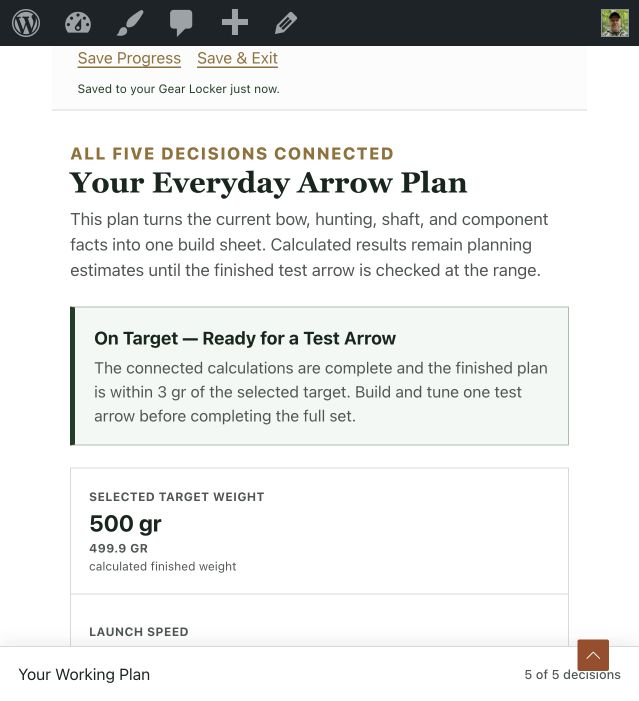
Planned and Measured Results Are Different
Planned FOC is the estimated front-of-center balance based on the selected part weights and their positions. After the test arrow is complete, balance the real arrow, measure that point from the nock throat, and calculate the measured FOC.
Dynamic Spine is a planning check of how stiff the shaft should act with the bow, length, and complete front-weight setup. The shaft maker’s current chart tells you which stiffness sizes are actually sold, and tuning shows how the real arrow reacts to your bow.
A small difference between planned and measured values is information to record. A meaningful difference may require a component correction and a new confirmed plan.
Confirm the Component Summary
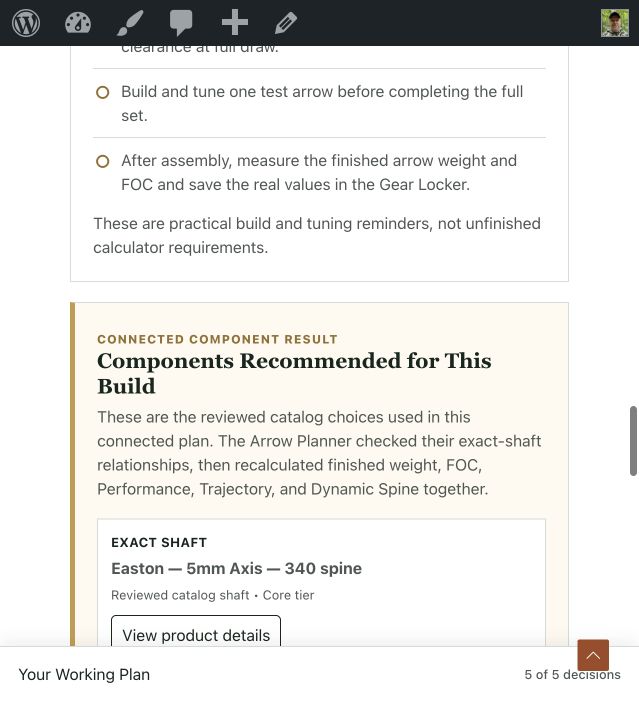
The component summary should show the actual setup you intend to build, not the last package or comparison you happened to view. Treat it like the parts list you would hand to an arrow shop.
Check the shaft, front system, broadhead, nock, vanes, fletch count, wrap, and additional weights before confirming.
Reviewed recommended components use the current prioritized direct or affiliate product destination when an eligible link is available. The same current links should appear in the selected component summary, final review, Gear Locker record, cards, and saved PDF.
A custom component without a reviewed destination can remain part of the build without receiving an invented shopping link.
Drafts, Completed Builds, and Guest Work
A draft is unfinished Planner work. You can return to it, change the decisions, and confirm a different component setup.
A completed build is a component plan you confirmed in the Planner. It is ready to carry into the test-arrow stage, but it is not proof that the physical arrow is tuned or field verified.
A guest can continue a local draft in the same browser while the browser’s saved site data remains. Create or use an account before relying on the plan as a permanent record.
When you sign in after working as a guest, continue the saved guest draft so it can be transferred into your account. Do not clear the browser’s cookies or site data before that transfer is complete.
Gear Locker, Product Links, and PDF
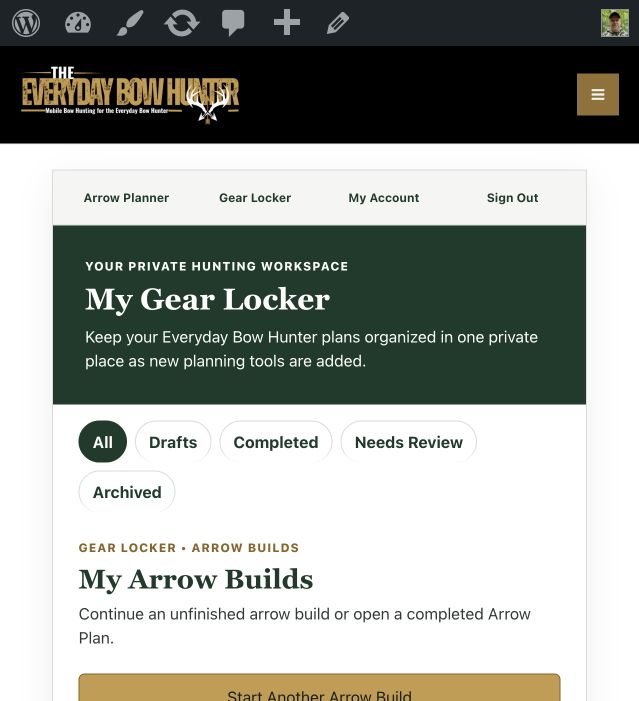
Signed-in hunters can save Arrow Planner records in the Gear Locker. Think of the Gear Locker as the private dashboard for unfinished plans and completed planning records from the Arrow Planner and future Everyday Bow Hunter tools.
Use the status filter to separate drafts, completed builds, builds that need review, and archived records. Open a draft when you want to continue planning. Open a completed build when you want to review the confirmed parts, return to the Planner, copy the plan for another comparison, or prepare for the workbench.
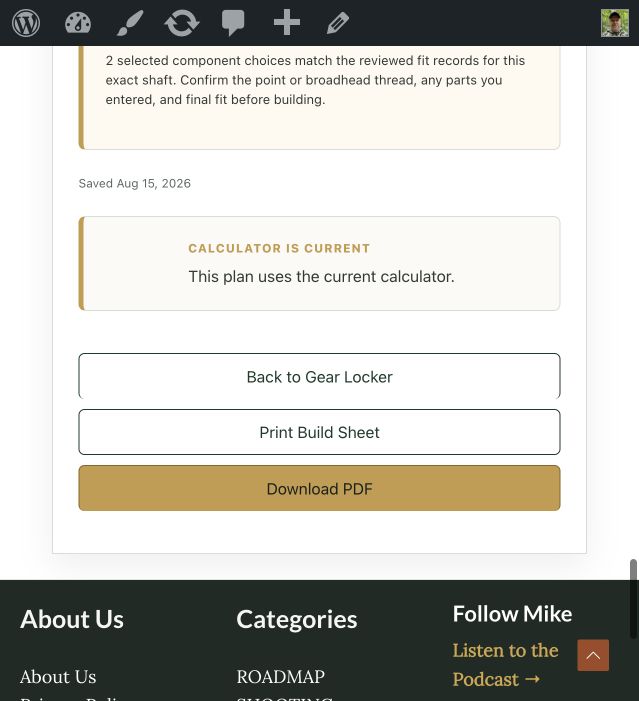
Each saved Arrow Planner record keeps the bow facts, planned measurements, component list, calculated results, and build status together. Reviewed recommended components also keep their current eligible product links on the saved record and PDF. Custom parts remain in the record even when the Planner does not have a reviewed shopping destination for them.
Download the confirmed-plan PDF when you want a printable workbench copy of the planned parts and measurements. The PDF is a planning record, not proof that the finished arrow matches the estimates. After building the test arrow, keep its measured weight, balance point, FOC, tune, sight marks, and broadhead results with the plan.
The Arrow Planner is the first tool connected to the Gear Locker. As new Everyday Bow Hunter planning tools are added, the Gear Locker home will provide one private place to open their saved records without turning the Arrow Builds page into one long mixed list.
Product destinations can change after a plan is saved. The current eligible destination is used when the record or PDF is generated, while the saved component facts remain part of the plan.
Build One Complete Test Arrow
Do not build the entire batch from the estimate alone. Use the confirmed plan to assemble one complete arrow with the real shaft, components, adhesive process, and fletching setup.
Follow the current manufacturers’ instructions for cutting, cleaning, installation, adhesive, cure time, inspection, and safe use. Never shoot an incomplete mock-up or an arrow with loose components.
After the arrow is complete:
- weigh the finished arrow;
- measure the real nock-throat-to-shaft-end length;
- find and record the balance point;
- calculate measured FOC;
- inspect component alignment and broadhead clearance;
- paper tune and correct the bow-and-arrow setup;
- broadhead tune;
- verify sight marks and trajectory; and
- shoot the real distances and conditions you intend to use.
Paper tuning checks the shape of the tear made as the arrow passes through paper and helps show how it leaves the bow. Broadhead tuning compares broadhead and field-point impact so the hunting setup flies together.
These checks deserve careful, separate instruction. Follow the linked tuning guides or work with a qualified pro shop if the process is new to you.
The High-Performance Hunting Arrow Guide explains the full planning and verification process that evolved into the Planner. A separate bench guide will cover the detailed physical build sequence after it is reviewed and published.
Record What the Real Arrow Proves
Update your permanent notes with the measured finished weight, balance point, FOC, tune, sight marks, and broadhead flight. If the real result differs enough to change the component plan, return to the Planner and create or update the confirmed record.
Complete the remaining arrows only after the test arrow fits the bow, meets the safety requirements, tunes correctly, and performs the way you need it to hunt.